爬虫天花板!网站改版不用改代码!智能自愈+隐身反爬,网页提取比BS4快784倍
- 2026-09-22 08:25:28
爬虫天花板!网站改版不用改代码!智能自愈+隐身反爬,网页提取比BS4快784倍01 传统痛点 02 项目介绍 Scrapling 是一款开源自适应 Web 抓取框架,GitHub 星标已突破 3 万,核心定位是一次编写、长期稳定、零妥协适配现代 Web。 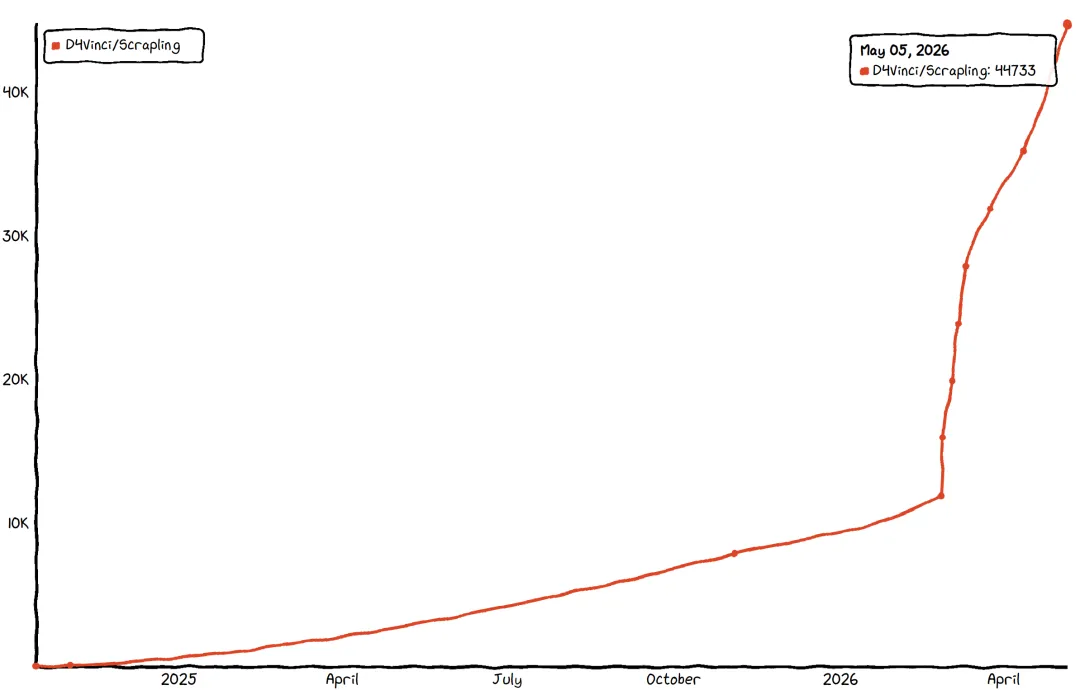
它能自动学习网站结构变化,页面更新后智能重定位目标元素;开箱即用绕过 Cloudflare 等反爬系统;几行代码实现并发、多会话爬取,支持暂停恢复与代理轮换,兼顾新手友好与高手需求。 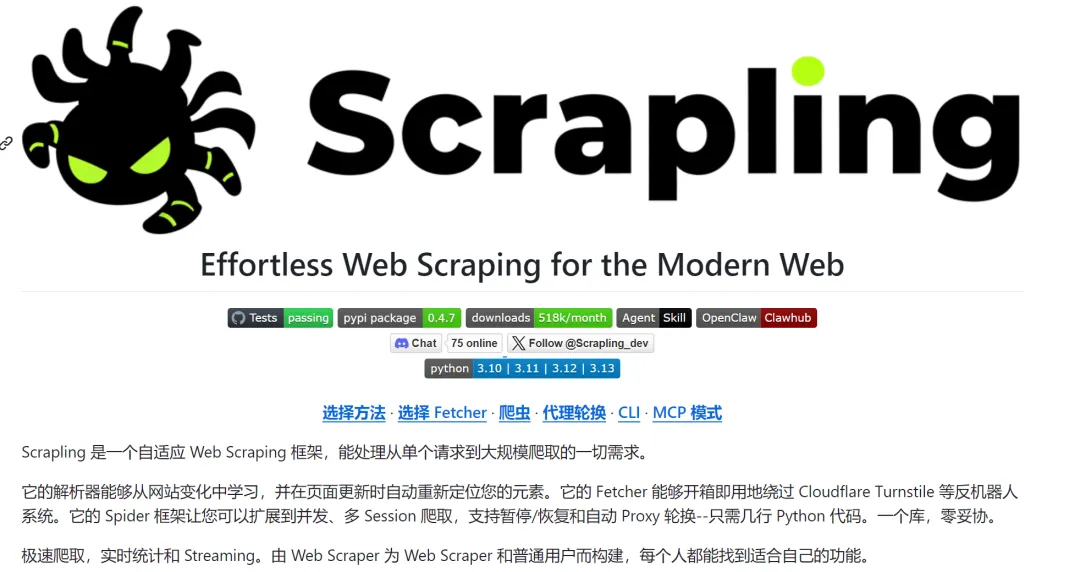
该框架由 Karim Shoair 设计开发,基于 BSD-3-Clause 许可证开源,核心适配 Python 3.10 及以上版本,经过实战检验,每天被数百名爬虫开发者使用,测试覆盖率达 92%,类型提示全覆盖,生产环境稳定可靠。 03 核心特性 1. 自适应元素追踪:网站改版不用改代码 2. 硬核反反爬:开箱绕过 Cloudflare 3. 完整爬虫框架:轻量媲美 Scrapy 4. 性能炸裂:速度碾压传统库 5. AI 友好:内置 MCP 服务降本增效 6. 开发者友好:降低上手与使用成本 04 性能测试 文本提取速度(5000 嵌套元素,100 + 次平均)
元素搜索性能 补充说明:所有基准测试均为 100+ 次运行的平均值,测试方法可参考项目仓库中的 `benchmarks.py` 文件,确保测试结果的客观性和准确性。 05 快速入门 1. 环境安装(Python≥3.10) 补充说明:基础安装仅包含解析器引擎及核心依赖,无 Fetcher 和 CLI 相关功能;安装 `scrapling[fetchers]` 后,需执行 `scrapling install` 下载浏览器及系统依赖、指纹操作依赖,也可通过代码调用 `from scrapling.cli import install` 完成安装(支持强制重装);`scrapling[ai]` 可单独安装 MCP 服务器功能,`scrapling[shell]` 可单独安装交互式 Shell 和 CLI 提取功能。 Docker 安装:可直接拉取包含所有功能和浏览器的镜像,无需手动配置环境,命令如下: 从 DockerHub 拉取: 从 GitHub 注册表拉取: 该镜像通过 GitHub Actions 自动构建推送,与项目主分支同步更新。 2. 基础示例:抓取名言网站 注意:经测试,目标网站 `https://quotes.toscrape.com/` 目前存在解析失败问题,报错信息为“网页解析失败,可能是不支持的网页类型,请检查网页或稍后重试”,该网站本身包含多条名言及标签内容(如“‘The world as we have created it is a process of our thinking...’”),可更换其他可正常访问的目标网站测试该代码逻辑。 3. 隐身模式:绕过 Cloudflare 注意:经测试,目标网站 `https://nopecha.com/demo/cloudflare` 目前存在解析失败问题,报错信息为“网页解析失败,可能是不支持的网页类型,请检查网页或稍后重试”。该网站为 Cloudflare 验证演示页面,包含 reCAPTCHA、hCAPTCHA、funcaptcha、textcaptcha、awscaptcha 等多种验证类型,正常情况下 Scrapling 的 `StealthyFetcher` 可自动绕过这些验证,提取页面中的验证相关数据及服务信息。 4. 完整爬虫:并发 + 翻页 注意:该示例基于 `https://quotes.toscrape.com/` 编写,若该网站无法解析,可将 `start_urls` 替换为其他支持翻页的可正常访问网页URL,爬虫逻辑保持不变。 5. 多会话混合爬虫示例 补充 README 中重点提及的多会话使用场景,可在单个爬虫中搭配不同类型 Session,适配不同请求需求: 6. Async Session 管理示例 补充 README 中异步 Session 的使用方法,适配高并发场景: 7. CLI 命令使用示例 补充 README 中 CLI 功能的使用方法,无需编写代码即可完成抓取,适配不同场景需求,结合工具特性补充完整示例: GitHub 项目地址: 06 扩展阅读 关注我持续分享高质量内容 感谢关注,携手AI同行
网站一改版,代码全作废:写死的 CSS/XPath 选择器,页面结构一变直接失效,反复调试维护成本极高 反爬拦路虎,爬取寸步难行:Cloudflare Turnstile、人机验证、指纹检测层层设防,普通请求直接被拦截 性能与易用性两难全:BeautifulSoup 简单但大规模爬取性能拉胯;Scrapy 功能强但上手门槛高,新手难快速落地
智能算法记录元素特征,不依赖固定选择器,无需因网站结构微调反复修改代码
开启`adaptive=True`自动找回目标,搭配`auto_save=True`一次保存永久适配,真正实现“一次编写,长期有效”
支持智能相似元素查找,可自动定位与已找到元素特征相似的目标,进一步提升适配性
四大 Fetcher 覆盖全场景:普通 HTTP(Fetcher)、异步请求、隐身绕过(StealthyFetcher)、动态渲染(DynamicFetcher),按需选择适配不同场景
`StealthyFetcher`自动伪装指纹,绕过所有 Cloudflare Turnstile 验证,结合文档可知,该工具可有效应对 reCAPTCHA、hCAPTCHA、funcaptcha、textcaptcha、awscaptcha 等各类验证码验证
内置代理轮换(支持轮询及自定义策略)、DNS 防泄漏(通过 Cloudflare DoH 路由 DNS 查询)、域名和广告屏蔽(内置约 3500 个广告/追踪域名),隐身能力拉满
类 Scrapy 异步 API,上手零成本,支持 `start_urls`、async `parse` 回调函数及 `Request`/`Response` 对象,熟悉 Scrapy 的开发者可快速迁移
支持并发控制(可配置并发数)、多会话混合(通过 ID 路由不同请求到对应 Session)、断点续爬(基于 Checkpoint 持久化,按 Ctrl+C 优雅暂停,重启后从上次停止处继续)、流式输出(通过 `async for item in spider.stream()` 实时获取数据)
内置 JSON/JSONL 导出(通过 `result.items.tojson()`/`result.items.tojsonl()`),开发模式可缓存响应到磁盘,后续迭代 `parse()` 逻辑无需重复请求目标服务器,提升开发效率
支持 robots.txt 合规配置(可选 `robotstxtobey` 标志),适配 `Disallow`、`Crawl-delay` 和 `Request-rate` 指令,并按域名缓存,避免违规爬取
自动检测被阻止请求,支持自定义重试逻辑,降低爬取失败率
文本提取比 BS4(Lxml 解析器)快 784 倍,比 PyQuery 快 12 倍,与 Parsel/Scrapy 性能接近(仅慢 0.02ms),JSON 序列化比 Python 标准库快 10 倍
内存优化设计,采用延迟加载和高效数据结构,最小化内存占用,大规模爬取无压力
92% 测试覆盖率,完整的类型提示,整个代码库每次更改都会通过 PyRight 和 MyPy 自动扫描,确保代码质量
内置 MCP 服务器,支持 AI 辅助 Web 抓取和数据提取,可对接 Claude/Cursor 等 AI 工具
提前提取目标内容,过滤冗余信息,大幅减少 AI Token 消耗,降低使用成本,同时提升 AI 处理效率(有演示视频可参考)
轻松搭建 AI 数据采集管道,可辅助应对各类验证码识别(如文档中提及的 reCAPTCHA、hCAPTCHA、funcaptcha 等),结合 NopeCHA 等工具可实现验证码自动识别
交互式 Web Scraping Shell:内置 IPython Shell,集成 Scrapling 功能,提供快捷方式,可将 curl 请求转换为 Scrapling 请求,还能在浏览器中查看请求结果,加快脚本开发
终端直接使用:无需编写代码,通过 CLI 命令即可抓取 URL 并导出内容(支持 txt、md、html 格式),适配不同使用需求
丰富的导航 API:支持父级、兄弟级、子级元素导航,可实现高级 DOM 遍历,搭配多种选择方式(CSS 选择器、XPath、BeautifulSoup 风格、文本搜索、正则搜索等),灵活提取数据
自动选择器生成:可为任何元素自动生成强大的 CSS/XPath 选择器,减少手动编写选择器的工作量
现成 Docker 镜像:每次发布都会自动构建并推送包含所有浏览器和额外功能的 Docker 镜像,无需手动配置环境,快速部署使用
增强文本处理:内置正则表达式、内容清理方法和优化的字符串操作,无需额外引入工具,简化数据清洗流程
Scrapling:2.39ms
AutoScraper:12.45ms(慢 5.2 倍)
# 基础安装pip install scrapling# 安装反爬/浏览器依赖pip install "scrapling[fetchers]"scrapling install# 全功能安装(含AI/Shell)pip install "scrapling[all]"
`docker pull pyd4vinci/scrapling``docker pull ghcr.io/d4vinci/scrapling:latest`from scrapling.fetchers import Fetcher# 发起请求(若该网站解析失败,可替换为其他可正常访问的网页URL)page = Fetcher.get("https://quotes.toscrape.com/")# 提取数据quotes = page.css(".quote .text::text").getall()authors = page.css(".quote .author::text").getall()print(list(zip(quotes, authors)))
from scrapling.fetchers import StealthyFetcher# 自动绕过各类验证(该网站正常访问时支持验证绕过测试,解析失败可稍后重试)page = StealthyFetcher.fetch("https://nopecha.com/demo/cloudflare")data = page.css("#padded_content a").getall()print(data)
from scrapling.spiders import Spider, Responseclass QuotesSpider(Spider):name = "quotes"start_urls = ["https://quotes.toscrape.com/"] # 解析失败时可替换URLasync def parse(self, response: Response):for quote in response.css(".quote"):yield {"text": quote.css(".text::text").get(),"author": quote.css(".author::text").get()}# 自动翻页next_page = response.css(".next a::attr(href)").get()if next_page:yield response.follow(next_page)# 启动爬虫result = QuotesSpider().start()result.items.to_json("quotes.json")
from scrapling.spiders import Spider, Request, Responsefrom scrapling.fetchers import FetcherSession, AsyncStealthySessionclass MultiSessionSpider(Spider):name = "multi"start_urls = ["https://example.com/"] # 该URL解析失败,替换为可正常访问的URLdef configure_sessions(self, manager):# 配置两种Session:快速HTTP请求(fast)、隐身绕过(stealth)manager.add("fast", FetcherSession(impersonate="chrome"))manager.add("stealth", AsyncStealthySession(headless=True), lazy=True)async def parse(self, response: Response):for link in response.css('a::attr(href)').getall():# 受保护页面路由到隐身Session,普通页面使用快速Sessionif "protected" in link:yield Request(link, sid="stealth")else:yield Request(link, sid="fast", callback=self.parse)
import asynciofrom scrapling.fetchers import FetcherSession, AsyncStealthySession, AsyncDynamicSession# FetcherSession 支持同步/异步两种模式async with FetcherSession(http3=True) as session:page1 = session.get('https://example.com/page1') # 该URL解析失败page2 = session.get('https://example.com/page2', impersonate='firefox135') # 该URL解析失败# 异步Session并发请求示例async with AsyncStealthySession(max_pages=2) as session:tasks = []urls = ['https://example.com/page1', 'https://example.com/page2'] # 两个URL均解析失败,需替换为可正常访问URLfor url in urls:task = session.fetch(url)tasks.append(task)# 查看浏览器标签池状态(可选)print(session.get_pool_stats())results = await asyncio.gather(*tasks)print(session.get_pool_stats())
# 1. 启动交互式Web Scraping Shell(集成IPython,支持快捷操作)scrapling shell# 2. 基础提取:抓取网页内容并导出为指定格式(txt/md/html)# 示例1:提取网页全文,导出为md文件scrapling extract get 'https://example.com' content.md# 示例2:指定CSS选择器提取目标内容,模拟Chrome浏览器请求scrapling extract get 'https://example.com' content.txt --css-selector '#target-element' --impersonate 'chrome'# 示例3:使用隐身模式,自动绕过Cloudflare等验证提取内容scrapling extract stealthy-fetch 'https://example.com/protected-page' result.html --solve-cloudflare# 3. 动态渲染页面提取(适配JS渲染的动态内容)scrapling extract dynamic-fetch 'https://example.com/dynamic-page' dynamic-result.txt --wait 3 # 等待3秒加载动态内容# 4. 查看CLI帮助文档,获取所有可用命令及参数scrapling --helpscrapling extract --help # 查看提取相关命令详情
https://github.com/D4Vinci/Scrapling
Claude Code 团队落地指南:一套可复制的 配置方案 OpenAI 新神器开源!解决AI编程最大痛点,AI Agent自动跑任务,碾压传统AI编程! GitHub 热榜第一!免费平替 Claude Code,这项目太顶了 TS大神Matt Pocock开源AI神技,硬刚Vibe Coding,告别凭感觉编程 AI终端神器开源,GitHub狂揽 50K+ Star,见证AI终端新时代 浏览器直接运行,GitHub 仓库秒变 Claude Code 可交互的代码知识图谱 仅592行代码!开源即火,以轻量架构实现 Claude Code 自主操控浏览器 给 AI 喂文档太麻烦?微软开源神器,几行代码统一转成标准 Markdown Remotion 最强竞品!用 HTML 写视频,AI 自动成片 51K+ Star 谁用谁爽!ClaudeCode 最强辅助工具终于被我找到了 告别手动拖拽!AI 一键生成架构图!官方开源项目彻底解放双手 生化危机女主跨界开源,用记忆宫殿重构AI记忆 暴击设计行业!Claude Design系统提示词在 GitHub 上全泄露了 GitHub上爆火的AI投研神器!免费解锁彭博终端所有核心功能 别再盯 AI 写代码了!让 AI 当你真正队友 单人靠 AI 也能做出专业级游戏,零成本拥有 49 人游戏研发团队 GitHub 上一路飙到 4.5 万 Star 的 Claude Code 最佳实践,开源了! 最值得装的8个AI Skill,覆盖联网、自动化、安全场景 GitHub 周榜持续封神!凭什么碾压 OpenClaw 成开发者新宠 Google大神开源谷歌工程最佳实践,让AI编程智能体写出生产级优质代码
终身学习,深耕AI领域
持续分享,优质AI开源
本文来自网友投稿或网络内容,如有侵犯您的权益请联系我们删除,联系邮箱:wyl860211@qq.com 。

