用AI做了一个TOP3计划管理小程序(附源代码)
- 2026-09-26 01:24:11
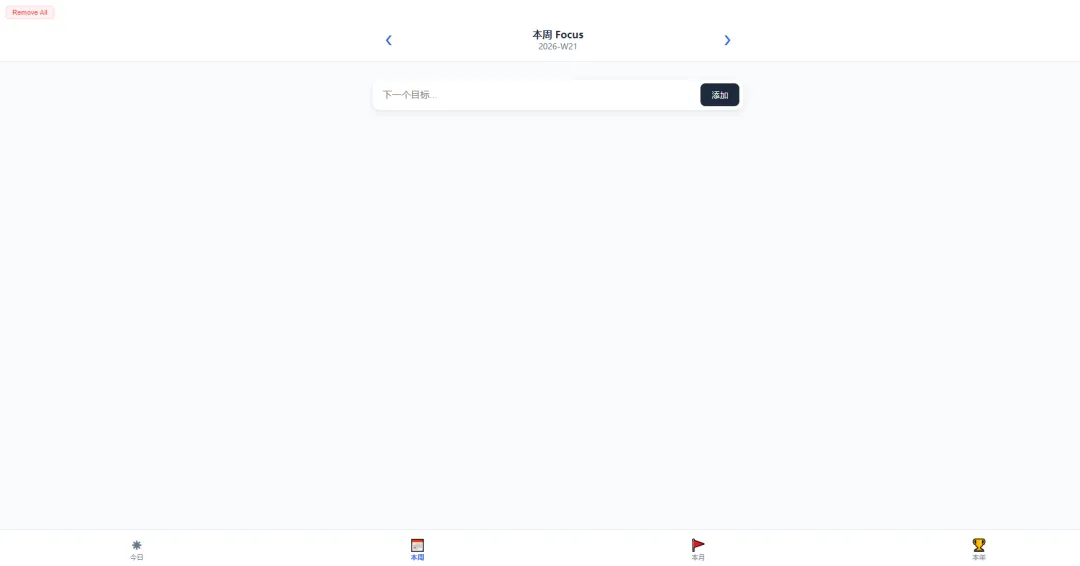
<!DOCTYPE html>
<html lang="zh-CN">
<head>
<meta charset="UTF-8">
<meta name="viewport" content="width=device-width, initial-scale=1.0, maximum-scale=1.0, user-scalable=no">
<title>Focus 3 - 稳定版</title>
<style>
:root {
--primary: #2563eb;
--success: #10b981;
--danger: #ef4444;
--bg: #f8fafc;
--card: #ffffff;
--text-main: #1e293b;
--text-sub: #64748b;
}
body { font-family: -apple-system, sans-serif; background-color: var(--bg); margin: 0; display: flex; flex-direction: column; height: 100vh; color: var(--text-main); overflow: hidden; }
header { background: var(--card); padding: 10px 15px; box-shadow: 0 1px 2px rgba(0,0,0,0.05); flex-shrink: 0; }
/* 顶部功能区:左侧创建快捷方式,右侧清空 */
.header-top-bar {
display: flex;
justify-content: space-between;
align-items: center;
margin-bottom: 12px;
max-width: 600px;
margin-left: auto;
margin-right: auto;
}
.shortcut-btn {
background: #e0f2fe; border: 1px solid #bae6fd; color: #0369a1;
padding: 5px 10px; border-radius: 6px; font-size: 0.7rem; cursor: pointer;
font-weight: 600;
}
.clear-all-btn {
background: #fff1f2; border: 1px solid #fecdd3; color: var(--danger);
padding: 5px 10px; border-radius: 6px; font-size: 0.7rem; cursor: pointer;
}
.header-main-nav {
max-width: 600px; margin: 0 auto;
display: flex; align-items: center; justify-content: space-between;
}
.nav-arrow { font-size: 1.5rem; color: var(--primary); cursor: pointer; padding: 10px 25px; user-select: none; }
.title-area { text-align: center; flex: 1; }
h1 { margin: 0; font-size: 1rem; font-weight: 800; }
.date-label { font-size: 0.8rem; color: var(--text-sub); }
main { flex: 1; overflow-y: auto; padding: 15px; -webkit-overflow-scrolling: touch; }
.container { max-width: 600px; margin: 0 auto; padding-bottom: 80px; }
.summary-box { background: linear-gradient(135deg, #fef3c7 0%, #fffbeb 100%); border: 2px solid #fcd34d; border-radius: 12px; padding: 15px; margin-bottom: 20px; display: none; }
.summary-edit-area { width: 100%; min-height: 120px; background: rgba(255, 255, 255, 0.5); border: 1px dashed #fcd34d; border-radius: 8px; padding: 10px; font-size: 0.9rem; color: #b45309; outline: none; box-sizing: border-box; resize: none; font-family: inherit; }
.card { background: var(--card); border-radius: 14px; margin-bottom: 12px; box-shadow: 0 2px 4px rgba(0,0,0,0.04); border-left: 5px solid #cbd5e1; }
.card.done { border-left-color: var(--success); opacity: 0.85; }
.card.rank-0 { border-left-color: #ef4444; }
.card.rank-1 { border-left-color: #f59e0b; }
.card.rank-2 { border-left-color: #3b82f6; }
.card-main { padding: 14px; display: flex; align-items: center; }
.check-btn { width: 24px; height: 24px; border: 2px solid #cbd5e1; border-radius: 50%; margin-right: 12px; display: flex; align-items: center; justify-content: center; flex-shrink: 0; cursor: pointer; }
.done .check-btn { background: var(--success); border-color: var(--success); color: white; }
.goal-text { flex: 1; font-weight: 600; font-size: 0.95rem; }
.memo-area { background: #f8fafc; padding: 8px 14px; border-top: 1px solid #f1f5f9; }
.memo-input { width: 100%; border: none; background: transparent; font-size: 0.8rem; outline: none; resize: none; color: var(--text-sub); font-family: inherit; }
.input-group { display: flex; background: var(--card); border-radius: 12px; padding: 6px; box-shadow: 0 4px 10px rgba(0,0,0,0.08); margin-top: 15px; }
.input-group input { flex: 1; border: none; padding: 10px; outline: none; font-size: 0.95rem; }
.add-btn { background: var(--text-main); color: white; border: none; padding: 0 18px; border-radius: 8px; cursor: pointer; font-weight: 600; }
nav { background: var(--card); border-top: 1px solid #e2e8f0; display: flex; padding-bottom: env(safe-area-inset-bottom); position: fixed; bottom: 0; width: 100%; }
.nav-item { flex: 1; text-align: center; padding: 10px 0; font-size: 0.7rem; color: var(--text-sub); cursor: pointer; }
.nav-item.active { color: var(--primary); font-weight: bold; }
.nav-item b { display: block; font-size: 1.2rem; margin-bottom: 2px; }
.hidden { display: none !important; }
</style>
</head>
<body>
<header>
<div class="header-top-bar">
<button class="shortcut-btn" onclick="createShortcut()">📁 创建桌面快捷方式</button>
<button class="clear-all-btn" onclick="removeAllData()">Remove All</button>
</div>
<div class="header-main-nav">
<div class="nav-arrow" onclick="navigate(-1)">❮</div>
<div class="title-area">
<h1 id="view-type">今日 Focus</h1>
<div id="date-label" class="date-label"></div>
</div>
<div class="nav-arrow" onclick="navigate(1)">❯</div>
</div>
</header>
<main>
<div class="container">
<div id="summary" class="summary-box">
<div style="display:flex; justify-content:space-between; margin-bottom:10px; align-items:center;">
<h3 style="margin:0; font-size:0.9rem; color:#92400e;">✨ 复盘总结</h3>
<button onclick="saveSummary()" style="background:#b45309; color:white; border:none; padding:4px 12px; border-radius:5px; font-size:0.7rem;">保存</button>
</div>
<textarea id="summary-content" class="summary-edit-area" placeholder="回顾一下此时此刻的心得..."></textarea>
</div>
<div id="list"></div>
<div id="input-box" class="input-group">
<input type="text" id="new-goal" placeholder="下一个 Top 3 目标...">
<button class="add-btn" onclick="add()">添加</button>
</div>
</div>
</main>
<nav>
<div class="nav-item active" onclick="switchTab('daily')"><b>☀</b>今日</div>
<div class="nav-item" onclick="switchTab('weekly')"><b>📅</b>本周</div>
<div class="nav-item" onclick="switchTab('monthly')"><b>🚩</b>本月</div>
<div class="nav-item" onclick="switchTab('yearly')"><b>🏆</b>本年</div>
</nav>
<script>
const DB_KEY = 'focus_stable_v3';
let db = JSON.parse(localStorage.getItem(DB_KEY) || '{"daily":{},"weekly":{},"monthly":{},"yearly":{}}');
let currentTab = 'daily';
let currentDate = new Date();
// 方案优化:创建一个跳转到当前文件的快捷方式 HTML
function createShortcut() {
const currentUrl = window.location.href;
const shortcutContent = `
<html>
<head><title>Focus 3 入口</title></head>
<body>
<script>window.location.replace("${currentUrl}");<\/script>
<p>正在启动 Focus 3... 如果没有跳转,请<a href="${currentUrl}">点击这里</a></p>
</body>
</html>
`;
const blob = new Blob([shortcutContent], { type: 'text/html' });
const url = URL.createObjectURL(blob);
const a = document.createElement('a');
a.href = url;
a.download = "Focus3入口.html";
a.click();
URL.revokeObjectURL(url);
alert("已下载快捷入口文件,请将其移动到桌面使用。");
}
function getID(date, type) {
const y = date.getFullYear();
if (type === 'daily') return `${y}-${date.getMonth() + 1}-${date.getDate()}`;
if (type === 'weekly') {
const firstDay = new Date(y, 0, 1);
const days = Math.floor((date - firstDay) / (24 * 60 * 60 * 1000));
return `${y}-W${Math.ceil((days + firstDay.getDay() + 1) / 7)}`;
}
if (type === 'monthly') return `${y}-${date.getMonth() + 1}`;
if (type === 'yearly') return `${y}`;
}
function render() {
const id = getID(currentDate, currentTab);
if (!db[currentTab][id]) db[currentTab][id] = { goals: [], summary: "" };
const data = db[currentTab][id];
document.getElementById('view-type').innerText = {daily:'今日 Focus', weekly:'本周 Focus', monthly:'本月目标', yearly:'年度愿景'}[currentTab];
document.getElementById('date-label').innerText = id;
const container = document.getElementById('list');
container.innerHTML = '';
data.goals.forEach((item, index) => {
const el = document.createElement('div');
el.className = `card rank-${index} ${item.done ? 'done' : ''}`;
el.innerHTML = `
<div class="card-main">
<div class="check-btn" onclick="toggle(${item.id})">${item.done ? '✓' : ''}</div>
<div class="goal-text">${item.text}</div>
<div style="color:var(--danger); padding:5px; font-size:0.8rem; cursor:pointer;" onclick="del(${item.id})">✕</div>
</div>
<div class="memo-area">
<textarea class="memo-input" placeholder="备注想法..." onchange="updateMemo(${item.id}, this.value)">${item.memo || ''}</textarea>
</div>`;
container.appendChild(el);
});
document.getElementById('input-box').classList.toggle('hidden', data.goals.length >= 3);
const summaryBox = document.getElementById('summary');
if (data.goals.length === 3 && data.goals.every(i => i.done)) {
summaryBox.style.display = 'block';
document.getElementById('summary-content').value = data.summary || `【复盘总结】\n${data.goals.map((g,i)=>`${i+1}. ${g.text}: ${g.memo||'完成'}`).join('\n')}`;
} else { summaryBox.style.display = 'none'; }
saveDB();
}
function add() {
const input = document.getElementById('new-goal');
const text = input.value.trim();
if (!text) return;
const id = getID(currentDate, currentTab);
if (db[currentTab][id].goals.length < 3) {
db[currentTab][id].goals.push({ id: Date.now(), text: text, done: false, memo: '' });
input.value = ''; render();
}
}
function toggle(itemId) {
const id = getID(currentDate, currentTab);
const item = db[currentTab][id].goals.find(i => i.id === itemId);
if (item) { item.done = !item.done; render(); }
}
function updateMemo(itemId, val) {
const id = getID(currentDate, currentTab);
const item = db[currentTab][id].goals.find(i => i.id === itemId);
if (item) { item.memo = val; saveDB(); }
}
function saveSummary() {
const id = getID(currentDate, currentTab);
db[currentTab][id].summary = document.getElementById('summary-content').value;
saveDB(); alert('总结保存成功');
}
function del(itemId) {
if(confirm('删除此目标?')) {
const id = getID(currentDate, currentTab);
db[currentTab][id].goals = db[currentTab][id].goals.filter(i => i.id !== itemId);
render();
}
}
function removeAllData() {
if (confirm("⚠️ 确定要清空所有数据吗?")) {
db = {"daily":{},"weekly":{},"monthly":{},"yearly":{}};
localStorage.removeItem(DB_KEY);
render();
}
}
function navigate(direction) {
if (currentTab === 'daily') currentDate.setDate(currentDate.getDate() + direction);
else if (currentTab === 'weekly') currentDate.setDate(currentDate.getDate() + (direction * 7));
else if (currentTab === 'monthly') currentDate.setMonth(currentDate.getMonth() + direction);
else if (currentTab === 'yearly') currentDate.setFullYear(currentDate.getFullYear() + direction);
render();
}
function switchTab(tab) {
currentTab = tab; currentDate = new Date();
const tabs = ['daily', 'weekly', 'monthly', 'yearly'];
document.querySelectorAll('.nav-item').forEach((n, idx) => n.classList.toggle('active', tabs[idx] === tab));
render();
}
function saveDB() { localStorage.setItem(DB_KEY, JSON.stringify(db)); }
render();
</script>
</body>
</html>

